 SpeedyCapture
Capture your screen – in a flash.
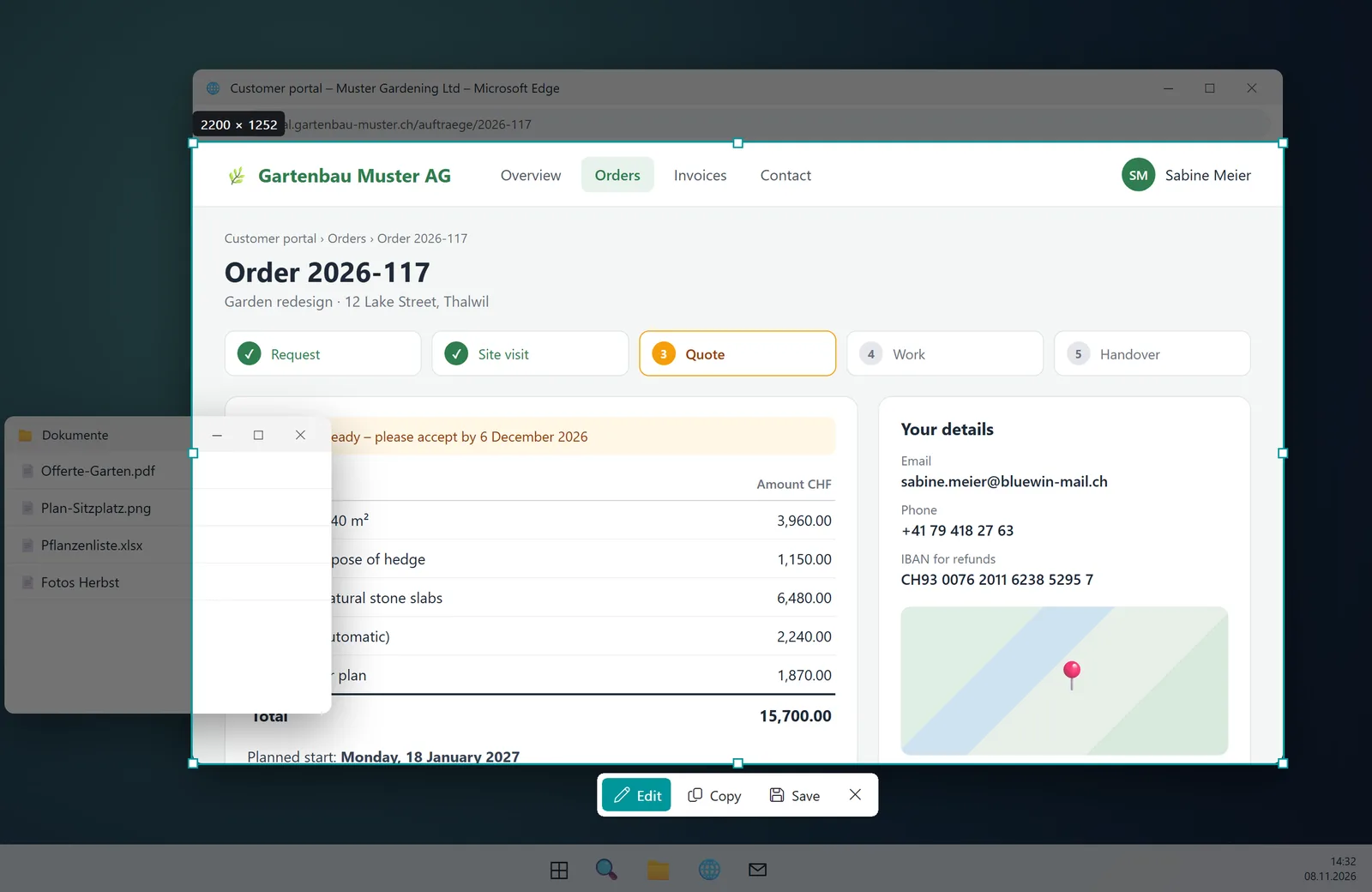
Press Print, drag a region, done. Then add arrows, boxes and text, blur anything confidential and copy it straight to the clipboard. Or record a short video instead. Named after a cat who has never caught anything in his life.
- No internet access
- No ads
- English & German
Features
Region or window
Press Print, drag a region or click a window. Edges snap magnetically to windows.
Scrolling screenshot
Entire web pages and long documents: SpeedyCapture scrolls by itself and stitches everything together.
Annotate
Arrows, boxes, highlighter, text, callouts with arrows and pen. Crop, paste images – and everything stays editable until you bake it in.
Blur & cover
Hide passwords, names and addresses before you share the screenshot.
Record video
Alt+Print, pick a region, countdown – and go. The MP4 lands right on the clipboard, ready for chat or email.
Copy, save, history
To the clipboard or as PNG, JPG, BMP or WebP. Your recent screenshots stay at hand and can be edited again.

Speedy catches nothing. SpeedyCapture catches everything.
Yes, it's the same Speedy as in SpeedyPDF. And no, he hasn't improved. Cats are supposed to catch things – Speedy disagrees: he waits for the prey to come to him. So far, it hasn't.
Windows
AvailableSpeedyCapture runs quietly in the background with an icon in the notification area and is ready the moment you press Print.
Download the installer
SpeedyCapture-Setup-1.3.2.exe- Version1.3.2
- SystemWindows 10 / 11, 64-bit
- Size5.0 MB
- LanguagesEnglish, German
Checksum (SHA-256)
Lets you verify that the download is unchanged (PowerShell: Get-FileHash).
3c1d3b204d64a2c785bba1ce370828b10089e498a0f2df3671b3e07fe43aac2dKeyboard shortcuts
- PrintScreenshot
- Shift + PrintScrolling screenshot
- Alt + PrintStart / stop video
- EnterConfirm
- EscCancel
Installation
- Download and run the installer.
- If Windows SmartScreen warns you: “More info” → “Run anyway”.
- SpeedyCapture takes over the Print key from the Snipping Tool. Uninstalling restores the Windows default.

Also named after Speedy
SpeedyPDF
The fast, lean PDF editor: highlight, annotate, sort pages and merge PDFs. For Windows and Android.

Also named after Speedy
SpeedyVisual
Diagrams in seconds: flowcharts, org charts, timelines and mind maps from templates or straight from Excel. For Windows.

Also named after Speedy
SpeedyPad
The lean text editor with tabs that stay – even unsaved ones. Colourful for XML, CSV, batch, JSON and more. For Windows.
Your screenshots and videos stay with you
SpeedyCapture has no internet access, collects no data and needs no account. The only thing lying in wait here is Speedy – and he's harmless.